
Check dissertation tables and figures against three things before submission: the source data, the caption and the statement you make in the text. Then check numbering, attribution and readability in the final submission file. A visual can look polished while displaying an incorrect percentage, an unexplained unit or an outdated result.
This guide gives UK undergraduate and master’s students a practical audit method. All numerical examples are fictional teaching examples, not findings from real studies. Use your current department handbook and required referencing style for formatting decisions; the checks below help you apply those requirements and detect inconsistencies.
Start With Your Department’s Submission Requirements
Collect the dissertation instructions and any approved template before making changes. Confirm whether numbering runs through the whole document or restarts by chapter, where captions belong, whether separate lists are required and how appendix visuals should be labelled. Also confirm the submission file format. These decisions affect the whole document, so resolve them first.
For example, Southampton’s dissertation guidance recommends numbered visuals, direct references in the text and descriptive captions. It describes usual caption positions while advising students to confirm local conventions. Follow your own course’s instructions where they differ.
Write a short rule sheet for your audit: numbering system, caption position, source-note format, list requirements and file format. If two instructions conflict, ask the programme team which applies to your assessment. Do not combine conventions from different university guides simply because each looks familiar.

Create An Inventory Of Every Table And Figure
Save a working copy and gather the final spreadsheet, analysis output or other source for each visual. Identify which source version produced the displayed result. A screenshot from an earlier analysis can remain in the dissertation even after the text has been updated. Record the mismatch before changing anything.
Use one register to track corrections. The compact example below can be expanded in your own document. Add the source-file name or analysis version to the evidence column; record a specific correction rather than writing only “check this”.
| Item / Location | Evidence And Text Link | Correction / Status |
|---|---|---|
| Table 4.1 / Results | Survey output v3; first mention §4.2 | Verify valid-response denominator; open. |
| Figure 4.2 / Results | Analysis output v4; first mention §4.3 | Define error bars; open. |
| Figure A1 / Appendix | Approved diagram file; mention §3.2 | Confirm appendix label; open. |
| Your next item | Source file/version; first text reference | Correction required; checked date. |
Table 1. Illustrative audit register. Replace the example entries with your own items.
Check qualitative visuals too. For a theme table, compare labels and quotations with the approved coding record, preserve participant anonymity and confirm that the caption describes the actual material. For a conceptual diagram, check that arrow direction and relationship labels match the framework explained in the text.
Check That The Numbers Match The Evidence
Undergraduate Example Correct A Percentage Denominator
Suppose 80 students completed a questionnaire, but only 72 answered a question about preferred feedback format. Of those 72, 36 chose written feedback, 24 chose audio and 12 chose a meeting. Eight answers are missing. If the table reports percentages of valid answers, the denominator is 72: 36 ÷ 72 × 100 = 50%.
Using all 80 participants gives 45%. That calculation is not inherently wrong, but it answers a different question. Label it as a percentage of the whole sample and account for the eight missing responses. Choose the denominator that serves the analysis, explain it and apply it consistently. Do not silently switch between the two.

Master’s Example Explain Sample Sizes And Error Bars
Imagine a master’s dissertation comparing completion time for two independent groups. The final output gives Group A a mean of 12 minutes, standard deviation of 3 minutes and n = 30; Group B has a mean of 15 minutes, standard deviation of 4 minutes and n = 28. A chart showing the two means needs units, group labels and a definition of any error bars.
If the bars show mean ± one standard deviation, their endpoints are 9–15 minutes for A and 11–19 minutes for B. Standard deviation describes spread in the observations. Standard error concerns uncertainty in an estimated mean; a confidence interval also expresses uncertainty under its stated method. They are different quantities. Check the actual chart settings against the analysis output rather than choosing a label by appearance.
Define what n counts: participants, observations or another unit. If exclusions reduce a group’s size, use the sample for that displayed analysis. Do not infer statistical significance from overlapping or non-overlapping bars alone; consult the appropriate analysis and its assumptions. A presentation audit should flag an unexplained result, not substitute a new statistical conclusion.

Check Units Rounding And Missing Values
Trace displayed values back to the source, including totals and a selection of individual entries. Confirm whether values are counts, percentages, rates or scores. Check conversions: a heading in minutes cannot accompany values copied in seconds without conversion. Apply the same rounding convention to comparable entries, but preserve the precision your analysis requires.
Rounded percentages may total 99.9% or 100.1%. Verify the underlying calculation and explain rounding where needed; do not alter an individual value merely to force 100%. Multiple-response questions can exceed 100% because participants may choose several options. State that design. Distinguish zero from a missing value, not applicable and not measured, and define the symbols you use.
Make Captions And Notes Clear Enough To Understand
Replace Vague Captions With Specific Descriptions
Read each visual without the surrounding paragraph. Can you identify what is measured, who or what is represented and the relevant period or condition? Put essential descriptive information in the caption or note. Avoid turning a caption into an unsupported interpretation. Use the required style for the position and formatting of that information.
| Weak Caption | Improved Teaching Example |
|---|---|
| Table 4.1. Survey results | Table 4.1. Preferred feedback format among students answering the questionnaire item. Note: 72 valid responses; eight missing; percentages use valid responses. |
| Figure 4.2. Group comparison | Figure 4.2. Mean task completion time by group. Note: Bars show ±1 standard deviation; Group A n = 30, Group B n = 28. |
| Table 5.1. Themes | Table 5.1. Interview themes and illustrative participant extracts. Note: Participant identifiers are pseudonyms. |
Table 2. Before-and-after examples. Adapt numbering and note format to your course; include only details supported by your actual records.
Explain Abbreviations Symbols And Table Notes
Define specialist abbreviations that a reader cannot reliably infer, including statistical symbols where appropriate. If asterisks indicate significance thresholds, state the thresholds and the relevant test or refer clearly to the methods. If a dash means “not measured”, say so. Check that each note marker has a matching note and that unused notes from an earlier version have been removed.
Match Every Visual To Its Reference In The Text
Check Numbering After Adding Or Moving Visuals
Work in both directions. From the text, find every reference to a table or figure and confirm that the intended item exists. Then start at each visual and locate its introduction or discussion in the text. Search for duplicated numbers, skipped labels caused by deletion, broken references and temporary wording such as “insert figure here”.
Keep Table and Figure sequences distinct. Table 3 and Figure 3 can coexist; two unrelated Figure 3 labels create ambiguity. With chapter-based numbering, moving a visual may change its prefix. With continuous numbering, an insertion may affect later labels. Use the system your department requires and check appendix conventions separately.
Check That The Written Claim Matches The Display
For the fictional completion-time chart, “Group B took twice as long” is incorrect: 15 is 1.25 times 12. A descriptive correction is “Group B’s mean completion time was three minutes higher than Group A’s.” This reports the displayed difference without claiming significance or causation. Add inferential statements only when the appropriate analysis supports them.

For qualitative work, apply the same check to meaning: a theme labelled “flexibility” should not be described as unanimous approval if the table also contains critical extracts. A diagram labelled as a proposed framework should not be discussed as an empirically verified causal model.
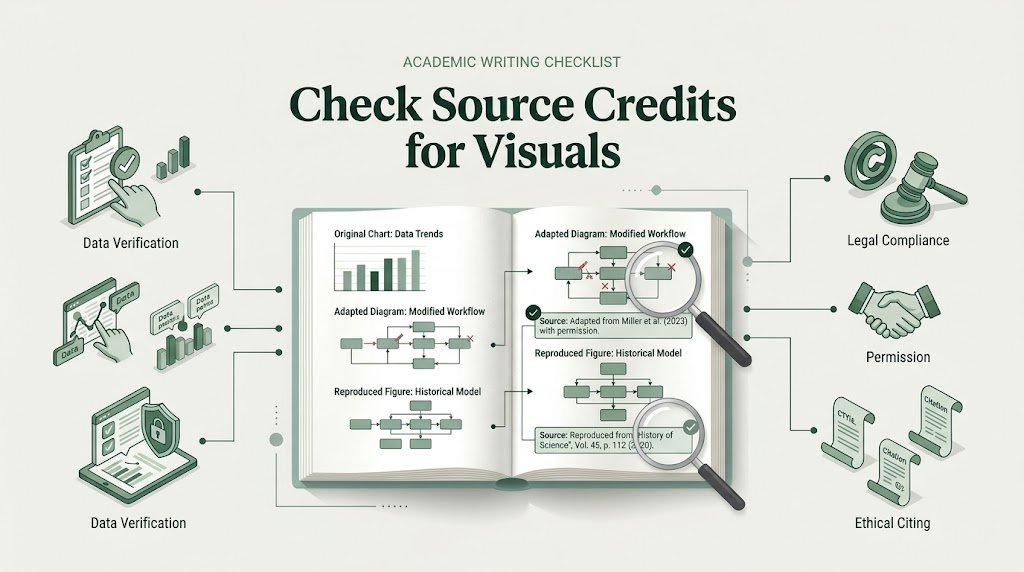
Check Source Credits For Original Adapted And Reproduced Visuals
Identify how each item was produced. A visual made entirely from your own research differs from a chart you designed using another organisation’s data, a modified published figure or a reproduced image. A new design does not remove the need to attribute external data. Follow your required style for the source note and full reference.
See Hull’s Harvard referencing guide for guidance on citing figures, tables and external data used in self-created visuals. Its formatting examples apply to that referencing system; use your own prescribed style.
For an adapted visual, identify the original and make the modification clear where your style requires it. For reproduction, check the source’s licence or reuse terms and any institutional guidance. Citation identifies the source; it does not itself settle permission. If your dissertation will enter a public repository, check the relevant deposit requirements as well. Resolve uncertain reuse with your university library.
Oxford Editors’ reference and citation support can support presentation checks against your required referencing style. Keep source details and any relevant reuse records available for review.
Check Readability And Accessibility
Inspect the visual at the size readers will see in the submission file. Zooming in until a label becomes readable is not evidence that the normal-size figure works. Replace blurred screenshots with a suitable export where possible. For tables, retain editable text where practical and permitted; an image of a table can make searching and accessibility harder.
Give rows and columns informative headings, repeat header rows on long tables and check that page breaks preserve meaning. Avoid shrinking an entire wide table until its text is unreadable. Consider permitted landscape pages, a simpler layout or separating genuinely distinct information. Keep notes with the relevant item and follow local continuation-caption rules.
Use labels, line styles, markers or patterns so meaning does not depend on colour alone. Check contrast and grayscale readability where relevant. Provide alt text or a suitable text description according to the document and submission requirements. Describe the essential information rather than only saying “bar chart”. A complex figure may need a fuller explanation in the main text.
Refresh Lists And Inspect The Final Submission File
If you use Word, use its caption and cross-reference features where appropriate rather than maintaining every number manually. Before export, update caption numbering, cross-references and required lists of tables and figures. Inspect the results: automation can still retain incorrect labels or point to the wrong item. Menu names and update steps depend on your Word version.
Compare each list entry with its visible caption and page number. Check separate Table and Figure lists and the required treatment of appendix items. Do not assume a list is compulsory merely because a general guide includes one. Refresh the relevant fields again after layout changes.
Open the actual file you intend to submit. If PDF is required, inspect every page containing a visual: columns, labels, symbols, caption position, page orientation, line visibility and image quality. Check that a caption has not become detached and that the full legend survives export. Search for broken-reference messages and placeholders, then confirm you are uploading this checked version.
Use A Prioritised Final Checklist
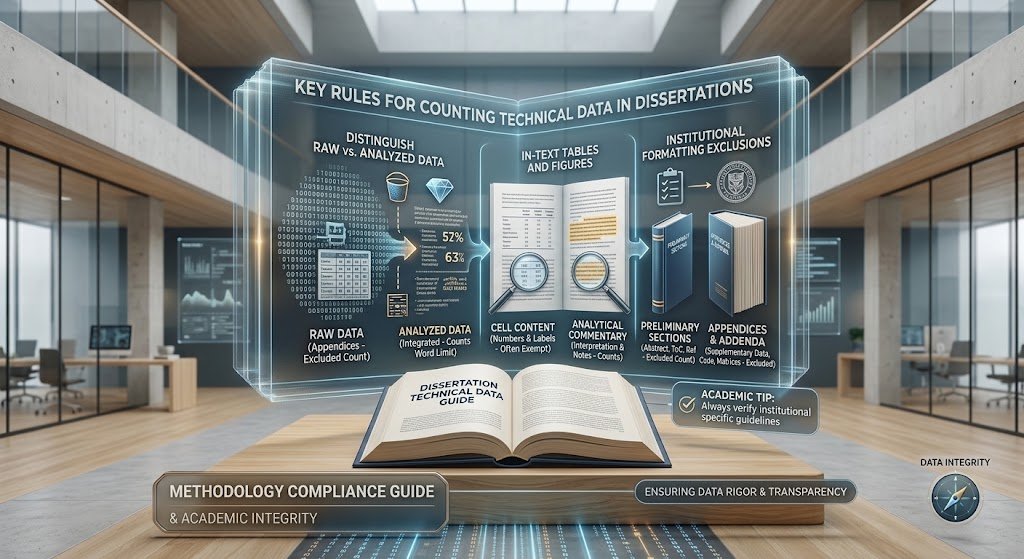
Correct problems that change meaning before cosmetic inconsistencies. An incorrect unit deserves attention before an uneven caption gap. After any correction to the analysis or displayed values, recheck the source, visual and text together. Keep a final unchecked-items list until every issue is resolved or clarified.
| Priority | Check | Completion Evidence |
|---|---|---|
| 1 Meaning | Values, totals, denominators, units, sample sizes and bar definitions | Compared with final source/output. |
| 1 Meaning | Written claims and qualitative labels | Match displayed evidence and its limits. |
| 2 Traceability | Sources, references and relevant reuse requirements | Source identified; style and terms checked. |
| 2 Navigation | Numbers, text references and required lists | Correct target and final page number. |
| 3 Readability | Labels, headers, notes, contrast and descriptions | Readable at submission size. |
| 3 File integrity | Final export and uploaded version | Every visual page inspected; correct file selected. |
Table 3. Reusable submission checklist. Priority indicates suggested review order, not an assessment weighting.
For a final language and presentation review, Oxford Editors offers proofreading and editing support. Check your university’s permitted scope of assistance. You remain responsible for the research, data and accuracy of the submission.
Frequently Asked Questions
Should Table Captions Go Above Or Below The Table?
Many styles place table titles above tables and figure captions below figures, but you should follow your department and prescribed style. Confirm where explanatory notes and source credits belong as well. Apply the chosen convention consistently.
Should I Number Figures By Chapter?
Use the system your course requires. Continuous labels such as Figure 1 and Figure 2 and chapter-based labels such as Figure 4.1 serve different structures. After moving a visual, check its number, every text reference and any list entry.
Do I Need To Cite A Chart I Created Myself?
If you created it using external data, cite the data source in the required format and include the corresponding reference. If it comes entirely from your own research, identify it as required by your course. A self-created design does not establish ownership of external data.
Do I Always Need A List Of Figures And Tables?
Check the dissertation instructions. If lists are required, ensure entries match the final captions and page numbers. Generate separate lists where requested and check how appendix items are treated. Requirements from another course do not automatically apply to yours.
How Should I Label Tables In An Appendix?
Follow your department’s appendix convention, which may use labels such as Table A1 or Table A.1. Refer to the intended appendix item clearly in the main text. Check whether these items belong in the required list and avoid ambiguous duplicate labels.
Can I Paste A Screenshot Of A Table?
Check local requirements. Where practical, an editable table usually preserves clearer text and easier navigation than a screenshot. If an image must be used, ensure all entries are legible at submission size and provide appropriate description and attribution. Inspect the export rather than relying on the editing view.
Why Does A Figure Look Different In My PDF?
Scaling, font handling, compression or page layout can affect the exported result. Compare it with the source and working document, then correct the export or layout as necessary. Reopen the new PDF and verify labels, symbols and captions before submitting it.
What If Two Formatting Guides Disagree?
Identify the rule for your current assessment and ask your programme team to clarify any conflict. Record the answer and apply it consistently. General university resources help you understand conventions but do not establish one compulsory format for all UK dissertations.